
LPLUS exam system
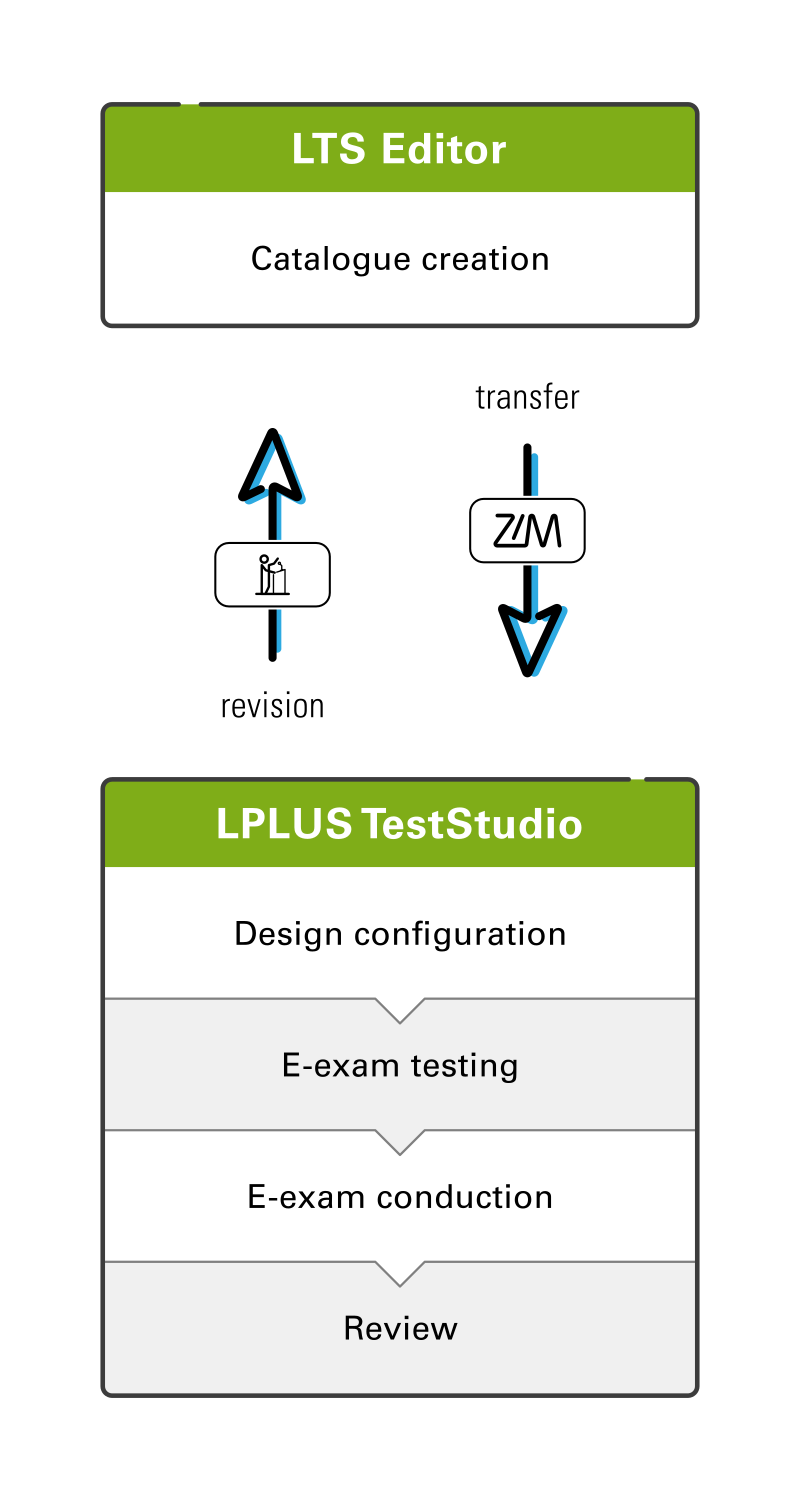
Two components, one e-exam
Based on: LPLUS GmbH (2025), productoverview_process
Read more about Two components, one e-exam
With the internationally recognised and long-established LPLUS software, ZIM offers you a reliable solution for conducting e-exams. The software enables you to create exams with a wide range of open and closed question types such as free text, cloze text, drag-and-drop, or multiple choice, and to have them automatically evaluated depending on the selected type. In addition, the integration of supporting media (e.g. PDF, PNG, MP4, etc.) is easily possible.
The software facilitates collaborative editing of catalogues and review processes during question creation, thereby supporting the sustainable and cross-disciplinary use of teaching materials once developed. Comprising two components – LTS Editor, the central tool for creating and pedagogically structuring exam content, and LPLUS TestStudio, the organisational backbone for the technical implementation and management of your exams – the software provides comprehensive support throughout the entire exam process.
To ensure the quality of your exams, LPLUS provides statistical data that give you insight into the quality of individual questions as well as the overall exam.
As an additional security measure, access to LPLUS is available only via a separate account and not, as is usually the case with other university services, through your ZIM account.
Access to the LPLUS system
Access to LPLUS TestStudio and LTS Editor is provided via personal accounts set up by the e-exam team. Eligibility is limited to university staff with a valid employment contract who are involved in the creation or organisation of e-exams (lecturers, academic and technical staff, student assistants). Accounts for student assistants must be requested by the responsible lecturer.
If you are no longer employed at the university or your account has not been used for an extended period of time, the corresponding LPLUS account will be deactivated and permanently deleted after a transition period. In justified cases, deactivated accounts that are still within this transition period can be reactivated.
Do you not yet have access to the LPLUS system but are planning to organise an e-exam soon? You are welcome to request an account by emailing e-pruefungen[at]uni-wuppertal.de.
Links to the e-exam system
LTS Editor
Create e-exam questions using LTS Editor: https://lts.uni-wuppertal.de/ltseditor/
LPLUS TestStudio
Conduct and review e-exams using LPLUS TestStudio: https://lts.uni-wuppertal.de